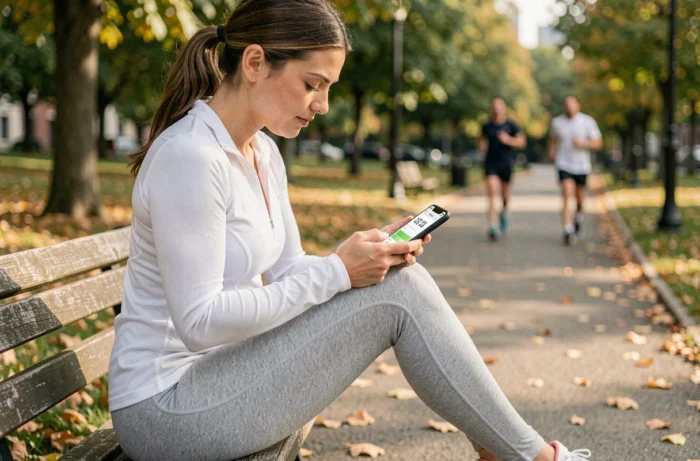
We open a walking app, take three steps in the living room to check that the counter is working, and the first thing that appears is a full-screen advertisement. The next reflex is to uninstall. Finding a truly free step counter app that is free of ads remains a more complicated task than it seems, because the business model of most of these tools relies precisely on advertising or in-app purchases.
Free and ad-free: what store listings really reveal
Before testing anything, we save time by reading the store listing all the way through. Google Play and the App Store now display detailed information about data collection practices and the presence of in-app purchases. The Google Play listing for StepsApp, for example, explicitly states that the app may share certain data with third parties and that it collects health and fitness data, even if the data is encrypted in transit.
The problem is that an app’s “ad-free” status can change after an update. An app listed as free and ad-free at the time of download may incorporate ad banners a few months later. The StrideTrail listing on the App Store mentions a “Remove ads” purchase that only removes an already present banner, meaning that the free version does indeed contain ads.
To spot a reliable free step counter app without ads, we check three elements on the store listing: the mention “contains ads,” the list of in-app purchases, and the “data security” section that details what is shared with third parties.

Smartphone-integrated pedometer: is it still necessary to install a dedicated app?
Samsung Health and Google Fit are pre-installed on most Android phones. On iPhone, the Health app counts steps natively via the motion sensor. These tools work in the background, do not display any ads, and do not require creating a third-party account.
For simple daily step counting, a dedicated app often adds nothing more. Google Fit displays the number of steps, distance traveled, and estimated calories. Samsung Health goes a bit further with sleep tracking and body composition if you have a compatible smartwatch.
The interest in installing a third-party pedometer is justified in specific cases:
- You want a customizable widget on the home screen with a visual counter (progress circle, weekly graph) that native apps do not always offer
- You are looking for a motivation system through goals, challenges with friends, or virtual rewards, absent from Google Fit and Apple’s Health app
- You need to export your data in a specific format (CSV, connection to a nutrition app) for structured medical or sports tracking
If none of these needs match your usage, feedback varies on this point, but the native smartphone pedometer is sufficient in most situations.
Free pedometer apps without ads: three reliable options
We have excluded apps that display “free” but require a subscription to unlock the full step counter. Here are three pedometers that truly work without ads on a daily basis on Android and iOS.
Pedometer and Step Counter
This app uses only the phone’s motion sensor, without GPS. Direct consequence: battery consumption remains nearly invisible. The interface is minimalist, featuring a progress circle and a daily history. No social functions, no gamification. It’s a counter, plain and simple.
The trade-off: advanced statistics (stride analysis, detailed monthly graphs) are reserved for the paid version. For basic use, the free version covers the essentials.
StepsApp Pedometer
StepsApp offers a more polished interface with colorful graphs and a configurable widget. The app works on Android and iOS, syncs with Google Fit and Apple Health, and offers a wheelchair mode rarely found elsewhere.
The free version displays occasional ads, which places it in a gray area. They can be removed via a one-time in-app purchase. If zero tolerance for ads is your criterion, you need to know this before installing.
ActivityTracker Pedometer
Available on iOS, this app stands out for its complete integration with Apple’s Health app. It retrieves data from the sensor without launching a GPS session. The interface displays steps, distance, and floors climbed. No account to create, no connection required.

Health data and privacy: what a free pedometer collects about you
A free step counter that does not sell ads must finance itself in one way or another. Reselling or sharing aggregated data with third parties remains a common model, even for apps that do not display any banners.
On Google Play, the “Data Security” section distinguishes locally collected data from that transmitted to external servers. Check if the app shares location or physical activity data with advertisers. An app that shows no ads but transmits your movement history to data brokers is not truly “ad-free” in the sense we understand.
Pedometers that operate solely with the phone’s accelerometer (without GPS) mechanically collect less exploitable information. This is a concrete selection criterion when privacy matters as much as the absence of ads.
- Favor apps that work offline and do not require a mandatory user account
- Read the privacy policy on the store listing, not on the publisher’s website (often more vague)
- Compare the mention “data shared with third parties” among several pedometers before choosing
The choice of a free ad-free pedometer depends as much on what the app does not do as on its displayed features. A simple step counter, without constant GPS and without registration, better protects your data than an app loaded with social features that requires access to your contacts and continuous location.